
Risk Free, Backed By Our 90-Day Money Back Guarantee
 - 
Read More
Lifetime Licenses Are Ending Soon, Get Yours Before They're Gone
 - 
Read More
Risk Free, Backed By Our 90-Day Money Back Guarantee
Pricing

You may have seen some references on our site to annual licensing or renewals.

All plugins currently come with a lifetime license, no matter what the site says.

We’re currently running tests before we make the switch to annual pricing. Check the Discounts tab to purchase our other plugins and get a lifetime license before they’re gone.

I Understand I Have a Lifetime License
Now is your last chance to buy a lifetime license before we switch to annual pricing. Existing licenses will be unaffected.
Read More
200,000+ Active Installs
1500+ 5 Star Reviews
Now is your last chance to buy a lifetime license before we switch to annual pricing. Existing licenses will be unaffected.
Read More
200,000+ Active Installs
1500+ 5 Star Reviews

How to Choose a Great WooCommerce Theme for Your Business

WooCommerce powers nearly 40 % of today's online stores. It has become so popular partly because it is a WordPress plugin, meaning it is easy to install, use, and customize. It also has great core functionality and a large number of useful add-ons/extensions.

One of the first and most important tasks for WooCommerce store owners is to find the right theme. This theme should be a good general match for your business type and brand, but also offer several qualities that are critical to every online store's success.

In this article, we'll describe each of these qualities and why they're so important.

Let’s begin!

Important Qualities to Consider When Selecting a WooCommerce Theme

1. Compatibility

WooCommerce Theme Plugin Compatibility

One obvious requirement for any WooCommerce theme is compatibility with WooCommerce itself.

What is not so obvious is the need for compatibility in general, i.e., the ability to interact with all mainstream WordPress and WooCommerce plugins without any conflicts or glitches.

Why is this so important? To start with, most WooCommerce owners use a variety of such plugins to meet their needs. If you want to add new functionality to your store, the last thing you want to worry about is whether that new functionality will render your old functionality inoperable.

This isn't just a matter of annoyance, either. Tracking down compatibility conflicts can be incredibly time-consuming and expensive. Not to mention that you may not even be aware of more subtle conflicts until you have lost business!

The good news? You can eliminate this concern simply by choosing a WooCommerce theme with a large number of active installs, good reviews, and a reputation for building industry-standard solutions.

2. Responsiveness of a WooCommerce Theme
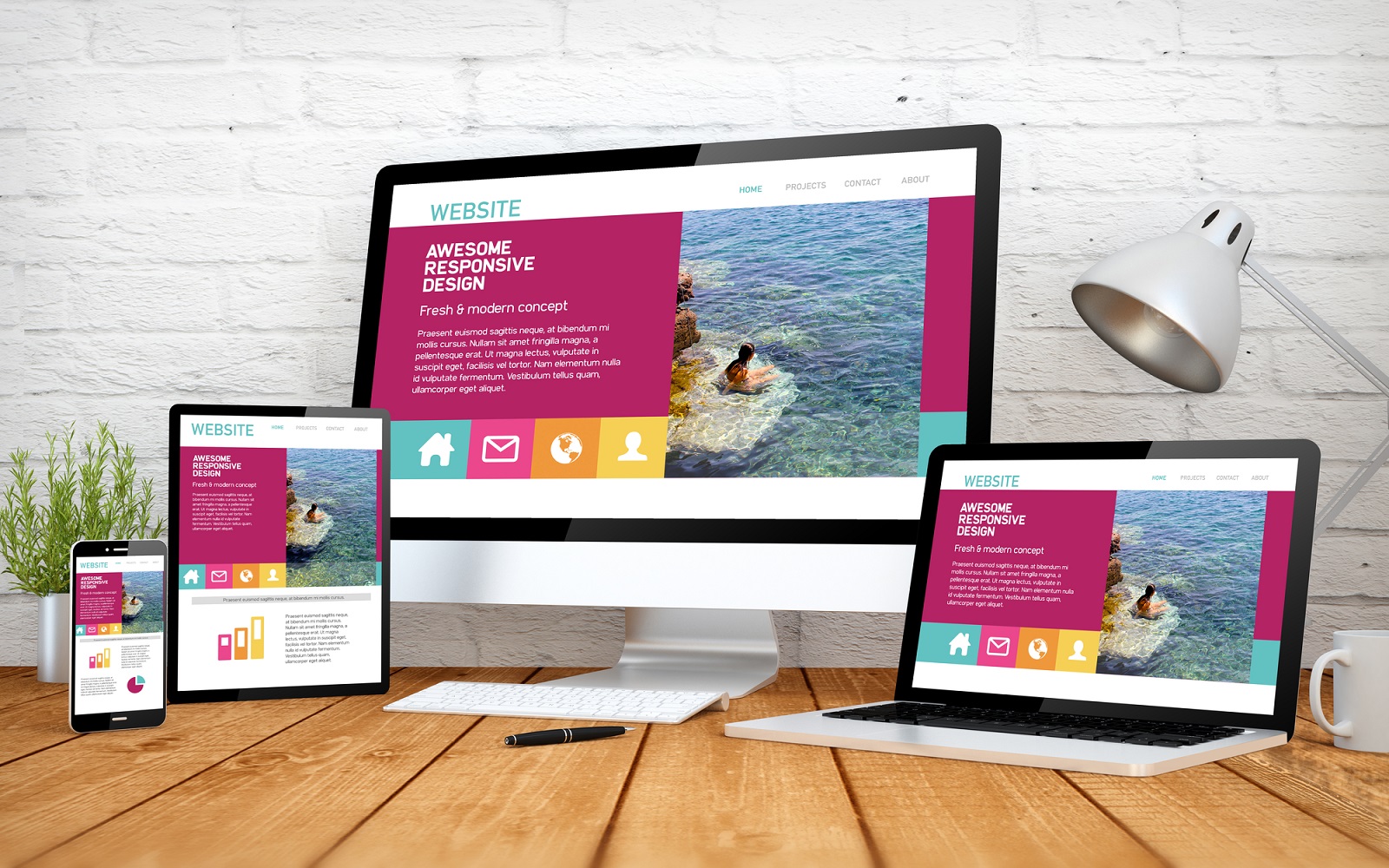
WooCommerce Responsive Theme

Being responsive means that your web pages will automatically adjust to work perfectly on all devices and screen sizes. This is critical for e-commerce success because the majority of shoppers now use mobile devices such as phones and tablets. If your site isn't responsive, it will lead to poor user experience and reduced sales.

Before you purchase a theme, you should confirm that it is responsive. And by "confirm", we mean that you should view its various demo sites using as many different devices as you can. Alternatively, you use a free mobile simulator to perform your testing.

Don't skimp on this testing. All errors are discovered eventually. The question is whether you want to discover them or have your customers do it.

3. WooCommerce Theme Performance

WooCommerce Theme Speed

Another major requirement for any WooCommerce theme is that it must be fast. Why? Because visitors quickly abandon slow websites. In fact, research shows that any increase in loading time beyond one second will cost you traffic. A delay of five seconds will cost you nearly all your traffic. Worse still, a large percentage of visitors find slow websites so frustrating that they never return to them after their first visit.

Google knows this and tries to avoid sending people to slow websites. In fact, Google now takes website speed into account in their search rankings, meaning visitors might not even get the chance to find your website if it is slow.

Put another way, the need for speed is non-negotiable, and your choice of theme can have a significant impact on how your online store performs, second only to your choice of hosting platform.

4. Appealing Design & Layouts
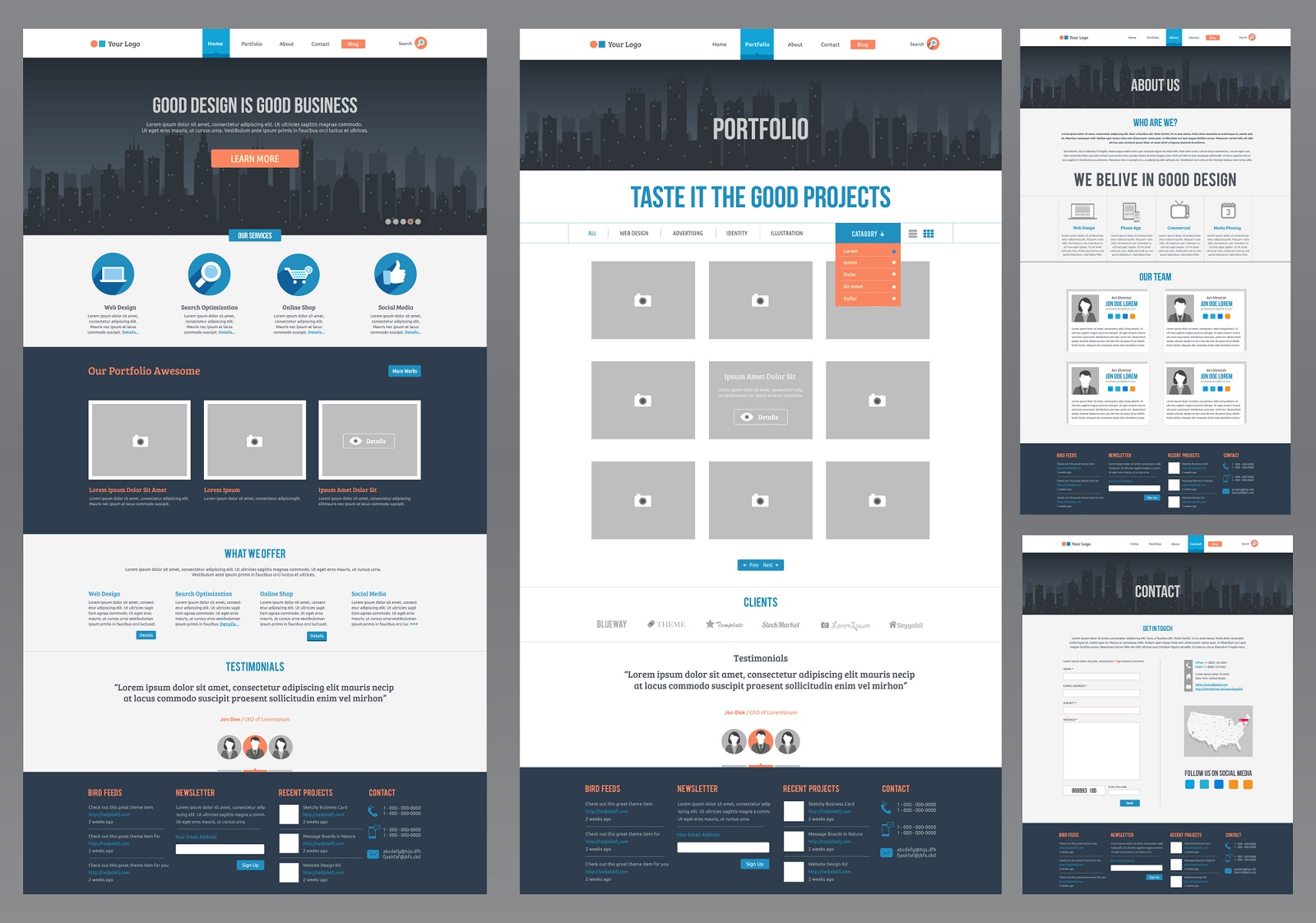
WooCommerce Theme Appealing Design and Layouts

Another feature required for a good theme is an attractive design with lots of layout options. Part of this is simple visual appeal. People are more comfortable shopping in an online store that is well-organized and visually appealing.

But part of it is also suitability. A restaurant requires a different design/layout than a medical clinic or a travel agency. To select a great theme for your business, you should first research the visual designs of successful online businesses in your industry. Then look for themes that will allow you to achieve a similar look and feel.

It is extremely helpful in this process to see examples of each theme that you are considering, so look for themes that offer live pre-made demos that are attractive and provide modern features.

Pay special attention to product pages, as this is where your customers will make their purchasing decisions. These pages must be capable of communicating a full description of each product.

5. Theme Flexibility

WooCommerce Theme Flexibility

Ask yourself a simple question: do you want to spend your time selling more products and services or tinkering with HTML, CSS, and PHP code?

Unless you're a closet geek, the answer to that question is obvious.

So how do you avoid coding? You buy a theme that has flexibility built into it, meaning that it allows you to vary your approach just by selecting pre-made options, no coding required.

We're not talking about just visual options here, either. We're also talking about behavior. Want to change your checkout process? Click, click. Want to radically alter your product page layout? Click, click, click.

The thing to keep in mind when searching for true flexibility is that it requires deep subject-matter knowledge. Simplifying the complex is impossible without a complete understanding of the issues. So when you're shopping for a theme, don't fall for the pretenders out there who try to pass off a WordPress theme as a WooCommerce theme just to boost their sales. Look for a web development company that lives and breathes WooCommerce, one that has likely built a relevant add-on or extension, too.

Let their expertise anticipate your needs.

6. A SEO-Friendly WooCommerce Theme

WooCommerce SEO

"Build it, and they will come."

Those are the famous last words of every failed online store owner ever.

A much better motto is, "Build it, bring them to it, and you will make sales!"

How do you bring people to your website? That's an entire article on its own, but what we can tell you is that SEO (Search Engine Optimization) plays an important part in the process.

What exactly is SEO? That's another large topic but here's a short explanation: it is a set of design principles that helps Google and other search engines properly index and rank the pages on your website. If a website adheres to good SEO principles, its pages will show up higher in the SERP rankings (SERP stands for "Search Engine Results Page"). The higher you are in the rankings, the more organic traffic you will attract.

We don't want to overstate the importance of your WooCommerce theme in this SEO battleground. Your knowledge of SEO principles and a good SEO plugin are much bigger factors. But every little bit helps, and great WooCommerce themes are coded with SEO in mind. They help you optimize your headings, images, and other content elements to ensure that they are properly interpreted by search engines. They are also fully compatible with leading SEO plugins that can help you take your SEO to the next level.

7. Integration with Social Media

WooCommerce Theme Social Media

In case you haven't noticed, social media platforms now dominate the internet landscape. This includes website and product reviews.

A good WooCommerce theme must fully support social media integration. This includes:

  • available icons for all the major social media platforms
  • options to provide supplementary images and text descriptions suitable for each social media platform
  • support for product reviews

In short, your WooCommerce theme must help you fully embrace social media so that you can attract and engage as many customers as possible.

8. High-quality Online Support

WooCommerce Online Support

Even if you select the best WooCommerce theme on the planet, sooner or later, you're going to need help. You may want to implement a new feature that no one has tried before, or you may have a technical problem. Heck, the feature or problem you're trying to address may not even have anything to do with your theme — that may just be your starting point.

Regardless, the one thing you don't want to experience when reaching out to your theme builder is silence or indifference or any of those other I-don't-care behaviors. Even long delays can be costly, especially if you need to work your way through numerous vendors before finding your solution.

What you want are prompt, sharp responses. It doesn't have to be telephone support — a small theme builder may not have the resources to offer that. But having someone quickly answer an email is just as valuable. This is one of those qualities that you won't know you're missing until you need it!

How do you find out if a theme builder provides good support? That part is easy. If the theme you're considering has a free counterpart, you can check their support history at https://wordpress.org/themes/. Just look up the theme, click on it, and check the comments in the Ratings section. If there are any support problems, you'll read about them there!

If the theme doesn't have a free counterpart, search the internet for phrases like "[theme name] review" or "[theme name] complaint", etc. The thing about customers who get stiffed on support is that they tend to be quite vocal, so if you just do a little digging, you'll get the feedback you need.

How to Find Your Ideal WooCommerce Theme

Now that you know how to select the perfect theme for your WooCommerce store, how do you find one?

The simple answer is by shopping — lots and lots of shopping! — and refusing to compromise on important features.

However, if you want to save some time, we have some suggestions:

  • If you're looking for the top premium theme for WooCommerce, look no further than Astra. Lightweight, lightning-fast, with over a million active installs and 5-star ratings in more than 97% of its nearly 5,000 reviews, Astra is one of the best themes in the entire WordPress landscape, let alone for WooCommerce.
  • If you're looking for one of the best collections of WooCommerce themes, check out LTheme. With 300+ professionally designed themes, you'll be sure to find one that is close to what you had in mind for your specific business. That will give you a starting point that should save you a great deal of time.

Related Information

Best WooCommerce Themes

Best Host for WooCommerce

Best Plugins for WooCommerce

Best WooCommerce Shipping Plugins

8 Best Photography Plugins for WooCommerce

Best WooCommerce Multilingual Plugins

WooCommerce How to Add Products

Advanced Order Export for WooCommerce

Joe Guilmette
VP of WP All Import. Joe's an expert in WordPress & WooCommerce Imports and Exports.

The best import export plugin for WordPress & WooCommerce.

Complete, granular control of your data with an easy to use drag & drop interface.
  • 90 Day Money Back Guarantee
  • Unlimited Installs
  • Lifetime Licence
  • Fast, World-Class Support
Get Started
90 Day Money Back Guarantee

Unlimited Installs.
World-Class Support. Money Back Guarantee.

Packages
Standalone
Import
Pro Package
$199
.00
/yr
Save $494, 71% Discount
  • Import Pro
Import Add-Ons
  • Woo
  • ACF
  • Meta Box
  • JetEngine
  • Gravity Forms
  • Users
  • Export Pro
Export Add-Ons
  • Woo
  • ACF
  • Meta Box
  • JetEngine
  • Gravity Forms
  • Users
$693 If Purchased Individually
Buy Now
90 Day Money Back Guarantee
Import + Export Pro Package
$299
.00
/yr
Save $1087, 78% Discount
  • Import Pro
Import Add-Ons
  • Woo
  • ACF
  • Meta Box
  • JetEngine
  • Gravity Forms
  • Users
  • Export Pro
Export Add-Ons
  • Woo
  • ACF
  • Meta Box
  • JetEngine
  • Gravity Forms
  • Users
$1386 If Purchased Individually
Buy Now
90 Day Money Back Guarantee
WooCommerce Import Package
$169
.00
/yr
Save $29, 15% Discount
  • Import Pro
Import Add-Ons
  • Woo
  • ACF
  • Meta Box
  • JetEngine
  • Gravity Forms
  • Users
  • Export Pro
Export Add-Ons
  • Woo
  • ACF
  • Meta Box
  • JetEngine
  • Gravity Forms
  • Users
$198 If Purchased Individually
Buy Now
90 Day Money Back Guarantee
Lifetime License
$1299
One-Time Payment
  • Import Pro + Export Pro
  • All Current Add-Ons
  • All Future Add-Ons
  • Lifetime Support
  • Lifetime Updates
  • No Renewal Fees
Buy Now
90 Day Money Back Guarantee
Import Standalone
$99
.00
/yr
  • Import Pro
Import Add-Ons
  • Woo
  • ACF
  • Meta Box
  • JetEngine
  • Gravity Forms
  • Users
  • Export Pro
Export Add-Ons
  • Woo
  • ACF
  • Meta Box
  • JetEngine
  • Gravity Forms
  • Users
Buy Now
90 Day Money Back Guarantee
Import + Export Standalone
$169
.00
/yr
  • Import Pro
Import Add-Ons
  • Woo
  • ACF
  • Meta Box
  • JetEngine
  • Gravity Forms
  • Users
  • Export Pro
Export Add-Ons
  • Woo
  • ACF
  • Meta Box
  • JetEngine
  • Gravity Forms
  • Users
Buy Now
90 Day Money Back Guarantee
Export Standalone
$99
.00
/yr
  • Import Pro
Import Add-Ons
  • Woo
  • ACF
  • Meta Box
  • JetEngine
  • Gravity Forms
  • Users
  • Export Pro
Export Add-Ons
  • Woo
  • ACF
  • Meta Box
  • JetEngine
  • Gravity Forms
  • Users
Buy Now
90 Day Money Back Guarantee
Packages
Standalone
Import
Pro Package
$16.58
per month, billed annually
Save $494/yr, 71% Discount
  • Import Pro
Import Add-Ons
  • Woo
  • ACF
  • Meta Box
  • JetEngine
  • Gravity Forms
  • Users
  • Export Pro
Export Add-Ons
  • Woo
  • ACF
  • Meta Box
  • JetEngine
  • Gravity Forms
  • Users
$693/yr If Purchased Individually
Buy Now
90 Day Money Back Guarantee
Import + Export Pro Package
$24.92
per month, billed annually
Save $1087/yr, 78% Discount
  • Import Pro
Import Add-Ons
  • Woo
  • ACF
  • Meta Box
  • JetEngine
  • Gravity Forms
  • Users
  • Export Pro
Export Add-Ons
  • Woo
  • ACF
  • Meta Box
  • JetEngine
  • Gravity Forms
  • Users
$1386/yr If Purchased Individually
Buy Now
90 Day Money Back Guarantee
WooCommerce Import Package
$14.08
per month, billed annually
Save $29/yr, 15% Discount
  • Import Pro
Import Add-Ons
  • Woo
  • ACF
  • Meta Box
  • JetEngine
  • Gravity Forms
  • Users
  • Export Pro
Export Add-Ons
  • Woo
  • ACF
  • Meta Box
  • JetEngine
  • Gravity Forms
  • Users
$198/yr If Purchased Individually
Buy Now
90 Day Money Back Guarantee
Lifetime License
$1399
One-Time Payment
  • Import Pro + Export Pro
  • All Current Add-Ons
  • All Future Add-Ons
  • Lifetime Support
  • Lifetime Updates
  • No Renewal Fees
Buy Now
90 Day Money Back Guarantee
Import Standalone
$8.25
per month, billed annually
  • Import Pro
Import Add-Ons
  • Woo
  • ACF
  • Meta Box
  • JetEngine
  • Gravity Forms
  • Users
  • Export Pro
Export Add-Ons
  • Woo
  • ACF
  • Meta Box
  • JetEngine
  • Gravity Forms
  • Users
Buy Now
90 Day Money Back Guarantee
Import + Export Standalone
$14.08
per month, billed annually
  • Import Pro
Import Add-Ons
  • Woo
  • ACF
  • Meta Box
  • JetEngine
  • Gravity Forms
  • Users
  • Export Pro
Export Add-Ons
  • Woo
  • ACF
  • Meta Box
  • JetEngine
  • Gravity Forms
  • Users
Buy Now
90 Day Money Back Guarantee
Export Standalone
$8.25
per month, billed annually
  • Import Pro
Import Add-Ons
  • Woo
  • ACF
  • Meta Box
  • JetEngine
  • Gravity Forms
  • Users
  • Export Pro
Export Add-Ons
  • Woo
  • ACF
  • Meta Box
  • JetEngine
  • Gravity Forms
  • Users
Buy Now
90 Day Money Back Guarantee

Unlimited Installs.
World-Class Support. Money Back Guarantee.

Developer
Pro features to get your WordPress data moving
Normally $299/yr
$149
.00
/yr
Save $150
Import & Export Pro
  • Posts Types, Pages & Taxonomies
  • Custom Fields & Meta Support
  • WordPress Users Support
  • Gravity Forms Entries
  • Developer Tools
  • Pro Settings
  • See detailed list of features
    Buy Now
    90 Day Money Back Guarantee
    Professional
    Everything you need to import and export anything
    Normally $599/yr
    $299
    .00
    /yr
    Save $300
    All Features & Integrations
  • WooCommerce
  • Bulk Editing & Data Migration
  • Advanced Custom Fields
  • JetEngine
  • Meta Box
  • Manual Scheduling
  • See detailed list of features
    Buy Now
    90 Day Money Back Guarantee
    Unlimited Lifetime
    All features and integrations forever for unlimited sites
    Normally $1599
    $1299
    .00
    once
    Limited-Time Offer
    ONE-TIME PAYMENT 
  • Import Pro + Export Pro
  • All Current Features & Integrations
  • All Future Features & Integrations
  • Lifetime Updates
  • Lifetime Support
  • No Renewal Fees
  • See detailed list of features
    Buy Now
    90 Day Money Back Guarantee

    Risk Free with our Money-Back Guarantee

    We would love for you to try WP All Import. Our 90-day money-back guarantee means that if you decide our plugins don’t meet your needs, just let us know, and we’ll gladly give you a full refund, no questions asked.
    200,000+ Active Installs
    1500+ 5 Star Reviews
    Developer
    $149
    .00
    /yr
    Buy Now
    Professional
    $299
    .00
    /yr
    Buy Now
    Ultimate Lifetime
    $1299
    Buy Now
    Unlimited Lifetime Package Features
    included in only in the Ultimate Lifetime Package
    One-Time Payment. No Renewal.
    All Future Add-Ons
    Developer Package Features
    included in all packages
    Untilimited Site Activations
    World-Class Support
    Import & Export Custom Post Types, Pages & Taxonomies
    Import & Export Custom Fields & Meta
    Download Import File from URL & FTP
    Export to CSV, XLSX, and XML
    Import & Export Filters
    Import & Export WordPress Users
    Import & Export Gravity Forms Entries
    Delete Missing Records on Import
    Run PHP Functions on Imports & Exports
    Choose Which Data to Update
    WP_Query Exports
    Secure Client Mode for Exports
    Zapier Integration for Exports
    Professional Package Features
    everything the Developer package, plus:
    Import & Export WooCommerce Products
    Import & Export WooCommerce Product Galleries
    Import & Export WooCommerce Orders
    Import & Export WooCommerce Customers
    Import & Export WooCommerce Reviews & Coupons
    Sync WooCommerce Stock & Prices
    Import & Export ACF Fields
    Import & Export JetEngine Fields
    Import & Export Meta Box Fields
    Export to Google Merchant Center
    Migrate Data Between Sites
    Bulk Edit with Export, Edit, Import
    Manual Scheduling for Imports & Exports

    Have any questions? 

    These are some of the most frequent questions we get about how to get data imported to or exported from WordPress

    Can I use any file type to import my data?

    Absolutely. It doesn't matter how big your CSV file is or what your column names are. Just use our Drag and Drop interface to map incoming data elements to their target fields, and you'll be done in minutes.

    Can I import Excel or Google Sheets to WordPress?

    Yes. Importing any spreadsheet is straightforward. Need to import Google Sheets to WordPress? Just copy and paste its URL. Need to import into WordPress from Excel? Same thing!

    How does my WordPress import data need to be organized?

    Our plugin is extremely flexible, so you probably won't have to make any changes to your data. You can try your WordPress import right now, and if you have any issues, we'll be glad to help you out.

    What will my WordPress export file look like?

    Unlike other solutions, our plugin gives you complete control over your WordPress export, including how it's formatted. You can modify fields, merge them together, and even create completely custom fields using embedded PHP.

    How do I export WordPress data to CSV?

    To export data to a CSV file, you don't have to do anything at all, as CSV is our default export format. If you want to export to other file formats, just change the export type in the Drag & Drop screen.

    Can I export WooCommerce products?

    Yes. Our software is completely integrated with WooCommerce. It provides full support to export WooCommerce customers, orders, products, variations, attributes, subscriptions, and reviews.
    linkcross